
Business
Why Typography Is Becoming a Strategic Asset for Digital Brands?

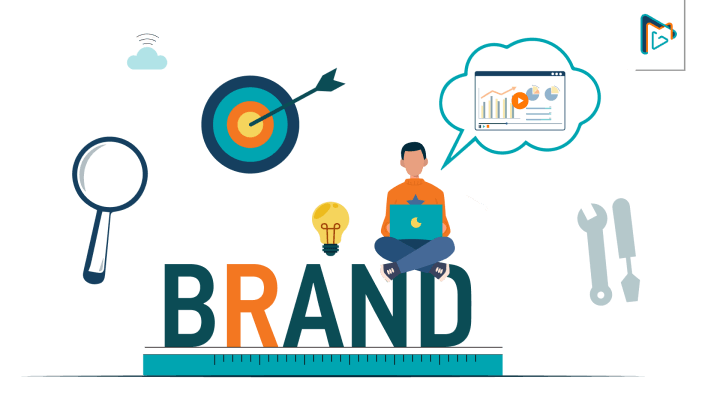
Visual identity is frequently judged in a matter of seconds in the digital economy. Before fully comprehending a company’s offerings, a visitor may land on a website, read a social media post, open a newsletter, or view a product banner. In that brief moment, typography is much more important than many businesses realize. Fonts are more than just pretty.
They convey tone, character, and trust. A software company may feel more trustworthy if its typeface is clean. A consumer product can have a friendly appearance with a soft, rounded style. A sharp futuristic font can make a technology brand feel experimental and forward-looking.
People already form an impression based on how the words look before they read every word. Typography is typically a component of a broader brand system for large businesses. They might collaborate with advertising agencies, design teams, and type experts to develop a consistent identity for websites, apps, packaging, advertisements, and presentations.
Usually, creators and smaller businesses do not have that advantage. They frequently rely on standard design choices, templates, and font libraries. These choices are handy, but they can also make a lot of brands look the same. Custom typography is becoming increasingly important as a result. A distinctive type style can help a brand stand out in crowded markets without changing anything else.
A startup can still use a stronger headline font on its landing page despite not having the budget for a complete rebrand. A recognizable title style can help videos, posters, and social media posts feel more consistent, even if a creator does not require a complete design system.
Better typography can make a local business’s website appear more professional, but it may not be necessary. The way teams investigate these innovative choices is beginning to be altered by artificial intelligence. Users can now begin with a visual direction rather than selecting from a preset font list. They are able to generate typography options that are consistent with the concept after describing a mood, audience, or brand personality.
Designers, entrepreneurs, and marketers can move from an abstract creative direction to something they can actually test with the assistance of an AI font generator. The fact that AI can create more fonts is not the only benefit. Speed and exploration are valuable. Typography decisions can take a long time in traditional workflows because teams manually compare a lot of options.
Teams are able to test more directions earlier thanks to AI-assisted workflows. They can use a variety of font styles on a landing page, in a social graphic, or in a campaign idea, and then decide which one looks best in the situation. Since typography rarely works on its own, this is useful. In a full headline, a font that looks great for one word may appear sluggish.
A style that looks great on a logo might not work on mobile layouts, buttons, or navigation. On a poster, a bold design might be too distracting for a website. Testing is required for good typography decisions, not just browsing. Finding what works already is another challenge.
A lot of teams come across a font style they like on a website, poster, video thumbnail, or brand campaign but are unsure of what it is or how to describe it. An AI font identifier can be useful in this situation. It makes it easier for users to comprehend visual references, identify typographic styles, and use those insights as a foundation for their own design projects.
Non-designers especially benefit from font identification. While a founder may be aware of their preference for a particular design, they may not be aware of whether it is serif, sans-serif, condensed, geometric, humanist, retro, or editorial. It’s possible that a marketer wants to match a campaign’s tone but doesn’t know how to say it to a designer.
A creator might have a screenshot or other image as a reference and want to know how the font should be oriented. Creative conversations can be clearer with better identification tools. However, typography generated by AI requires human judgment. Not only should a font look different, but it should also help people communicate. Readability is important. Accessibility is important.
Cultural fit is important. Performance, contrast, and spacing are important, especially online. A font that works well for a dramatic headline might not work well for the body of the text. A healthcare product might not look as good in a style that works for a gaming company.
AI can suggest options, but people still have to decide which one is best for the message and audience. This makes typography a strategic asset for businesses rather than a minor design detail. Digital materials can feel more cohesive, support brand positioning, and improve recognition with a strong type style. It can make a campaign feel more memorable, a product page feel more polished, and a website feel more reliable.
Despite their subtlety, these effects add up. Visual homogeneity becomes a real issue as online competition grows. Numerous businesses employ the same stock images, fonts, website templates, layouts, and stock images. Customers will have a harder time distinguishing between brands as a result of this.
Businesses can now create a distinct presence without spending a lot of money on design by using custom typography. Typography is likely to become more adaptable and accessible in the future. Professional designers will continue to play a crucial role, particularly when it comes to improving systems and making final creative choices.
However, AI tools can increase participation in the initial stages of brand exploration. They make it simpler to test concepts, gain knowledge from references, and convert visual direction into assets that can be used. That shift is significant for small businesses, creators, startups, and agencies.
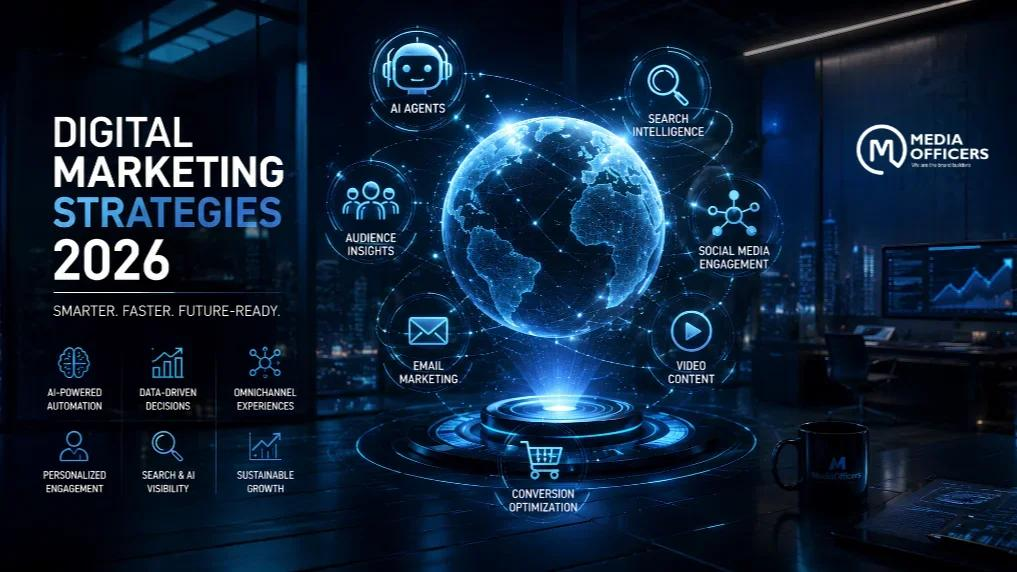
Marketing Strategies is changing faster than ever, but not every successful strategy becomes outdated when new technology appears. In 2026, businesses have access to AI tools, automation, advanced analytics, and new digital platforms, yet the fundamentals of successful marketing remain surprisingly consistent.
The strongest brands are combining modern technology with strategies that build trust, understand customers, and deliver useful content. Whether you run a small business, an online store, or a growing company, these marketing strategies can still help you attract customers and build long-term growth in 2026.
1. Create Helpful, High-Quality Content
Content marketing remains one of the most reliable ways to attract an audience. However, simply publishing large amounts of content is no longer enough.
In 2026, businesses should focus on creating useful, original content that directly answers customers’ questions. Detailed guides, comparisons, tutorials, case studies, videos, and expert insights can help a brand become a trusted source of information.
The goal should be to provide genuine value rather than create content only for search engines.
2. Use AI to Improve Marketing Strategies
Artificial intelligence has become an important marketing tool in 2026. Businesses can use AI to brainstorm ideas, analyse customer behaviour, personalise campaigns, create content drafts, and automate repetitive tasks.
However, AI should support marketers rather than completely replace human creativity. Human review is still important for accuracy, brand voice, originality, and emotional connection.
The best approach is to combine AI efficiency with human strategy and judgement.
3. Marketing Strategies Focus on SEO and Search Visibility
Search engine optimization continues to matter because people still use search to discover products, services, businesses, and information.
Modern SEO goes beyond adding keywords to a page. Businesses should improve website experience, create genuinely useful content, build authority, optimise for relevant search queries, and make information easy for both users and search systems to understand.
Local SEO is especially valuable for businesses that serve customers in specific cities or regions.
4. Marketing Strategies Build a Strong Social Media Presence

Social media remains an important channel for reaching potential customers in 2026. Instead of trying to be active on every platform, businesses should identify where their target audience spends the most time.
Short-form videos, educational posts, behind-the-scenes content, customer stories, and interactive posts can help brands generate engagement.
Consistency is more important than simply posting frequently. A clear brand identity can make social content easier for people to recognise and remember.
5. Invest in Video Marketing Strategies
Video continues to be one of the most engaging forms of digital content. Businesses can use videos to explain products, answer questions, demonstrate services, share customer experiences, and tell their brand story.
Short videos can attract attention, while longer educational videos can help build authority and trust.
You do not always need expensive production equipment. Clear information, good storytelling, and useful content can matter more than a large production budget.
6. Marketing Strategies Personalise the Customer Experience
Customers increasingly expect brands to understand their interests and needs. Personalisation can make marketing messages more relevant and improve the overall customer experience.
Businesses can personalise email campaigns, product recommendations, website experiences, and offers based on appropriate customer data.
However, personalisation should be transparent and respectful. Businesses need to balance useful recommendations with customer privacy.
7. Use Email Marketing Strategies
Email marketing remains valuable because businesses can communicate directly with people who have already shown interest in their products or services.
Successful email campaigns usually provide something useful rather than sending constant promotional messages. Newsletters, exclusive offers, helpful guides, product updates, and personalised recommendations can keep subscribers engaged.
A clean subscriber list and relevant messaging can make email marketing more effective in 2026.
8. Marketing Strategies Build Trust Through Reviews and Social Proof
Customers often look for evidence before buying from an unfamiliar business. Reviews, testimonials, case studies, user-generated content, and genuine customer experiences can provide that reassurance.
Businesses should encourage satisfied customers to share honest feedback and make positive reviews easy to find.
Trust cannot be created through marketing alone. A brand needs to consistently deliver on its promises.
9. Marketing Strategies Work With the Right Influencers
Influencer marketing has evolved beyond celebrity endorsements. In 2026, smaller creators with highly engaged and specialised audiences can be valuable partners for brands.
Micro-influencers and niche creators may have stronger relationships with their communities and can introduce products in a more authentic way.
The most important factor is not follower count alone. Businesses should consider audience relevance, engagement, credibility, and brand fit.
10. Marketing Strategies Measure Results and Improve Continuously
One of the biggest advantages of digital marketing is the ability to measure performance. Businesses can analyse traffic, conversions, engagement, customer acquisition costs, email performance, and sales.
Instead of assuming that a campaign works, marketers can use data to identify what performs well and what needs improvement.
Testing different headlines, offers, content formats, audiences, and landing pages can gradually improve results.
Why These Marketing Strategies Still Work in 2026
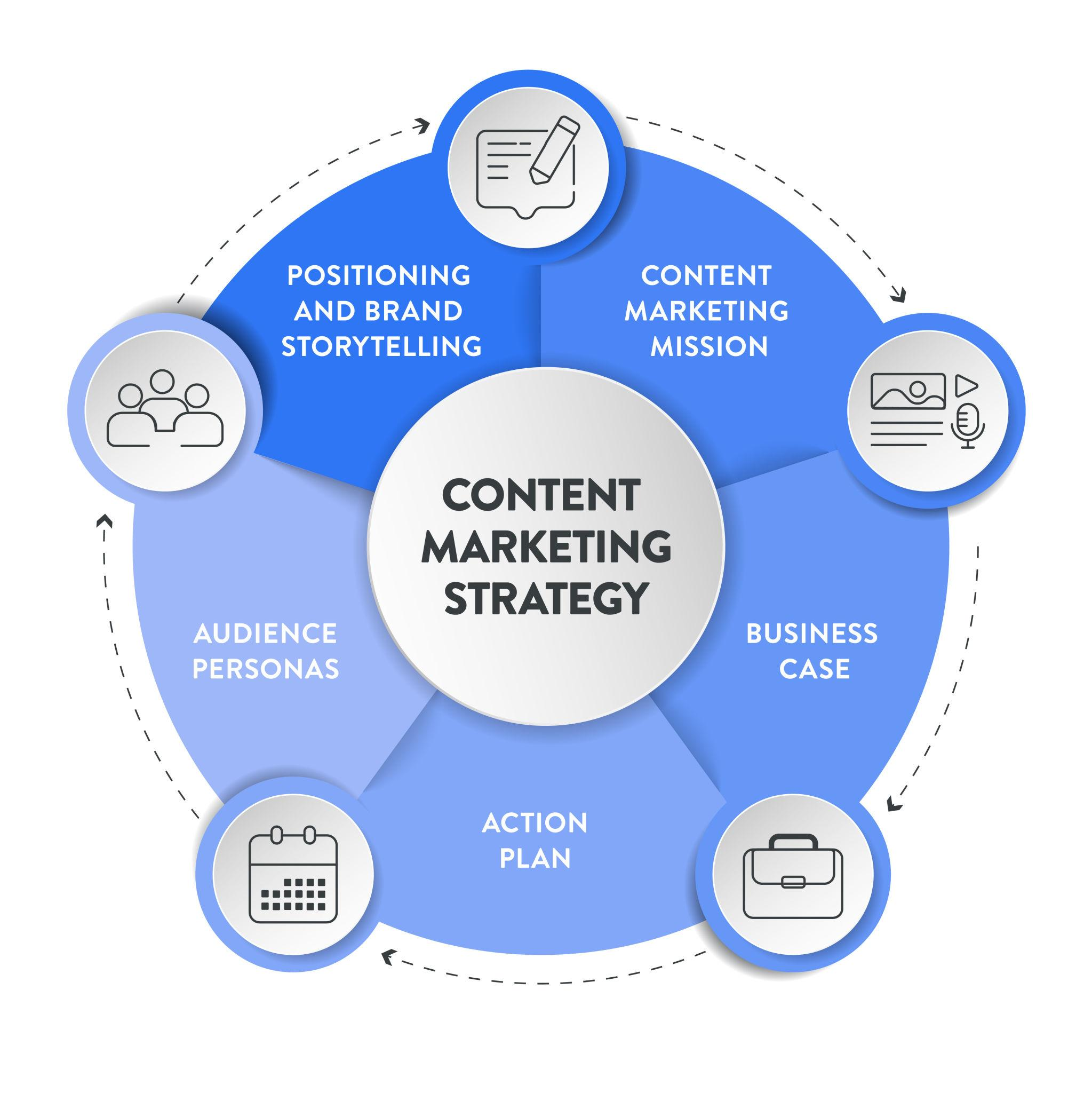
Technology changes, but customers still want useful information, trustworthy businesses, convenient experiences, and products that solve real problems.
That is why the most effective marketing strategy in 2026 is not about chasing every new trend. It is about using modern tools to strengthen proven principles: provide value, understand your audience, build trust, and measure what works.
Conclusion
The marketing landscape in 2026 is more competitive and technology-driven than ever. AI, automation, social media, search, video, and data analytics are giving businesses powerful new ways to reach customers.
However, successful marketing still depends on understanding people. Businesses that combine high-quality content, SEO, AI, social media, personalisation, email marketing, video, reviews, and data-driven decision-making can create stronger relationships with their audiences.
The brands most likely to succeed are not necessarily those that follow every trend. They are the ones that use the right technology while keeping the customer at the centre of their marketing strategy.
Frequently Asked Questions
1. What are the top marketing strategies for 2026?
The most effective strategies include SEO, content marketing, AI, social media, video marketing, email marketing, and personalisation.
2. Is SEO still effective in 2026?
Yes, SEO remains important for helping businesses improve search visibility and attract people who are actively looking for information or services.
3. How is AI changing marketing in 2026?
AI helps marketers analyse data, create content, personalise campaigns, automate tasks, and improve marketing efficiency.
4. Is social media marketing still worth it?
Yes, social media can help businesses build brand awareness, engage audiences, showcase products, and attract new customers.
5. Does email marketing still work in 2026?
Yes, email marketing remains an effective way to communicate directly with interested customers through useful and personalized messages.

Teaching English to people who speak another language can be a rewarding career, especially as demand for English language education continues to grow worldwide. For people who want to enter this field without attending traditional classes, ESL Certification Online programs offer a flexible way to develop teaching skills and gain relevant credentials.
Online certification can be particularly useful for students, working professionals, and aspiring teachers who need to study around their existing schedules. However, choosing the right program requires understanding what an ESL certification involves, what it teaches, and how it can support future career opportunities.
What Is ESL Certification?
ESL stands for English as a Second Language. An ESL certification is a credential that demonstrates training in teaching English to learners whose first language is not English.
Programs can cover areas such as lesson planning, classroom management, grammar, pronunciation, teaching techniques, and working with students at different language levels.
The exact requirements vary between programs, so prospective students should check the course curriculum, certification requirements, and recognition before enrolling.
Why Choose an Online ESL Certification?
One of the main advantages of online learning is flexibility. Students can often complete coursework from home and organize their study time around work, education, or other responsibilities.
Online programs may also provide access to digital learning materials, recorded lessons, assignments, quizzes, and teaching resources. This can make the learning experience convenient for people who cannot attend regular classes.
Another advantage is that online learning allows students to compare programs from different institutions rather than limiting themselves to schools in their local area.
What Do ESL Certification Programs Teach?
A good program should provide practical knowledge that can be applied in real teaching situations.
Lesson Planning
Students learn how to create lessons that match learners’ language abilities, goals, and learning styles.
Classroom Management
Effective classroom management is important for maintaining an engaging and productive learning environment. Certification programs may introduce different strategies for managing groups and encouraging participation.
English Grammar and Pronunciation
Teachers need a strong understanding of English grammar, vocabulary, pronunciation, and sentence structure. These areas help instructors explain language concepts clearly to learners.
Teaching Methods
Online ESL programs can introduce different approaches for teaching speaking, listening, reading, and writing. Students may also learn how to adapt activities for beginners, intermediate learners, and advanced students.
Who Can Benefit From ESL Certification Online?
Online certification can be useful for people who want to begin teaching English or improve their existing teaching skills.
It may appeal to recent graduates, educators, career changers, tutors, and individuals interested in teaching English internationally or online.
The right program depends on the learner’s career goals. Someone planning to teach professionally may need a more comprehensive certification than someone looking for basic teaching knowledge.
How to Choose the Right Program
Not every online ESL certification program offers the same level of training. Before enrolling, students should examine several factors.
Look at the course content, study duration, instructor qualifications, practical teaching opportunities, assessment methods, and certification requirements.
It is also important to understand whether employers or educational institutions recognize the credential. A program that clearly explains its accreditation or recognition status can make the qualification easier to evaluate.
Career Opportunities After Certification
An ESL certification can support several teaching-related career paths. Depending on qualifications and local requirements, graduates may pursue opportunities in language schools, tutoring, online education, community programs, or international teaching environments.
Some teachers also use online platforms to work with students from different countries. This can provide greater flexibility and allow educators to build experience while working remotely.
Final Thoughts
ESL Certification Online provides a convenient pathway for people interested in developing English teaching skills. With flexible study options and courses covering lesson planning, classroom management, grammar, and teaching methods, online programs can be a practical starting point for aspiring educators.
Before choosing a course, however, it is important to research its curriculum, recognition, requirements, and career relevance. The right certification should provide both useful knowledge and a credential that supports the learner’s long-term teaching goals.
FAQ
What is ESL Certification Online?
ESL Certification Online is a digital training program designed to prepare individuals to teach English to people whose first language is not English.
Who can take an online ESL certification course?
Graduates, aspiring teachers, tutors, career changers, and people interested in teaching English online or internationally can consider an ESL certification.
What do online ESL certification programs teach?
Programs commonly cover lesson planning, English grammar, pronunciation, classroom management, teaching methods, and strategies for different learner levels.
Can I teach English after completing an online ESL certification?
Potentially, yes. However, requirements vary by employer, school, country, and teaching position, so it is important to check the specific qualification requirements.

However Running a successful business is not simply about working longer hours. Many successful Productivity business owners achieve more because they have learned how to manage their time, energy, attention, and priorities effectively. Instead of trying to complete everything themselves, they create productive routines that help them focus on work that actually moves the business forward.
From planning the day before it begins to protecting time for important decisions, productive entrepreneurs develop habits that make their working hours more valuable. However Here are some of the best productivity habits that successful business owners use to stay focused and consistent.
1. They Start With Clear Priorities
Because Successful business owners rarely begin their day by randomly checking emails or responding to every notification. However They first identify the tasks that can have the biggest impact on their business.
A simple approach is to choose three major priorities for the day. These might include completing an important project, speaking with a key client, or reviewing business finances.
Having clear priorities prevents small tasks from taking over the entire day.
2. They Plan Their Time Instead of Reacting to It
Time management is one of the most important productivity skills for entrepreneurs. Business owners often have meetings, emails, customer questions, marketing tasks, and unexpected problems competing for their attention.
Rather than reacting to everything as it appears, productive entrepreneurs organize their schedules in advance. They may divide their day into specific blocks for meetings, focused work, communication, and administrative tasks.
This creates a more structured working environment and reduces unnecessary distractions.
3. They Avoid Multitasking
Multitasking may feel productive, but constantly switching between tasks can make it harder to concentrate. Successful business owners often give their full attention to one important task before moving to another.
For example, instead of writing an article while checking emails and answering messages, they may dedicate 60–90 minutes to writing without interruptions.
This habit can improve concentration and help important work get completed faster.
4. They Learn to Delegate
One of the biggest productivity lessons for business owners is understanding that they cannot do everything themselves.
Successful entrepreneurs delegate tasks that can be handled by employees, freelancers, or specialized professionals. This allows them to spend more time on strategy, leadership, customer relationships, and business development.
Delegation is not simply about reducing workload. It is about using people’s skills more effectively.
5. They Protect Their Most Productive Hours
Everyone has certain periods when they naturally feel more focused and energetic. Some people work best early in the morning, while others become more productive later in the day.
Successful business owners learn when their concentration is strongest and use those hours for important work.
Instead of filling their best hours with routine administration, they reserve them for strategic thinking, creative projects, or difficult decisions.
6. They Keep Meetings Focused
Meetings can consume a significant amount of time when they lack a clear purpose.
Productive business owners usually make meetings more effective by deciding what needs to be discussed beforehand. They focus on specific objectives and avoid unnecessary conversations.
Shorter, purposeful meetings can leave more time for actual work while still keeping teams aligned.
7. They Take Regular Breaks
Productivity does not mean working continuously for hours without stopping. The brain needs breaks to maintain concentration and avoid mental fatigue.
Successful entrepreneurs understand the value of stepping away from their screens, taking a short walk, drinking water, or simply resting for a few minutes.
Regular breaks can make it easier to return to work with renewed attention.
8. They Keep Learning
Successful business owners treat learning as part of their professional routine. They read industry news, study competitors, explore new technologies, listen to useful podcasts, or take courses related to their field.
Continuous learning helps entrepreneurs identify new opportunities and adapt when markets change.
Even spending 20–30 minutes a day learning something valuable can produce significant benefits over time.
9. They Control Digital Distractions
Phones, social media, instant messages, and constant email notifications can quickly destroy concentration.
Productive business owners often create specific periods for checking messages instead of responding immediately to every notification.
Turning off unnecessary alerts and using dedicated communication times can create longer periods of uninterrupted focus.
10. They Review Their Progress
At the end of the day or week, successful entrepreneurs often review what they accomplished and what still needs attention.
A short review can answer important questions:
- What did I accomplish today?
- Which tasks created the most value?
- What wasted my time?
- What should I prioritize tomorrow?
- What can I delegate?
This simple habit helps business owners continuously improve their working systems.
11. They Focus on Results, Not Just Activity
Being busy does not necessarily mean being productive. A business owner can spend eight hours answering emails and still make little progress toward important goals.
Successful entrepreneurs measure productivity by meaningful results. They ask whether their work is improving revenue, customer satisfaction, efficiency, brand growth, or long-term business performance.
This shift from activity to outcomes helps them make better decisions about where their time should go.
12. They Make Time for Strategic Thinking
Daily operations can easily consume an entrepreneur’s entire schedule. However, successful business owners make time to step away from routine tasks and think about the bigger picture.
They consider questions such as where the company should be in the next year, which products deserve investment, what customers really need, and which areas of the business require improvement.
Strategic thinking helps businesses grow instead of simply keeping them running.
13. They Maintain Healthy Routines
Productivity is strongly connected to personal energy. Business owners who consistently ignore sleep, movement, meals, and rest may eventually struggle with concentration and decision-making.
A healthy routine does not have to be complicated. Consistent sleep, regular physical activity, nutritious meals, and enough downtime can help entrepreneurs maintain energy throughout demanding workdays.
Conclusion
The best productivity habits of successful business owners are not necessarily complicated. They focus on doing meaningful work, protecting their attention, managing time carefully, and creating systems that reduce unnecessary effort.
Prioritizing important tasks, delegating effectively, avoiding multitasking, limiting digital distractions, and reviewing progress can transform an ordinary working routine into a more productive one.
Ultimately, productivity is not about fitting more tasks into every hour. It is about making better use of the hours available and directing energy toward the activities that create the greatest value. By developing these habits consistently, business owners can work more strategically while creating a stronger foundation for long-term success.
FAQ
What is the most important productivity habit for business owners?
Prioritizing high-value tasks is one of the most important habits because it helps business owners focus their time and energy on activities that create meaningful results.
How do successful entrepreneurs manage their time?
They usually plan their schedules, set clear priorities, limit distractions, delegate tasks, and reserve dedicated periods for focused work.
Why is delegation important for business owners?
Delegation allows entrepreneurs to share responsibilities with capable team members and spend more time on strategy, growth, and important business decisions.
How can business owners avoid distractions?
They can limit unnecessary notifications, schedule specific times for emails and social media, and create uninterrupted periods for important work.
Is working longer hours the key to business success?
Not necessarily. Productivity is more about working effectively and focusing on high-impact activities than simply increasing the number of hours worked.
-

 UK News2 months ago
UK Wildfires 2026: Why Are Fires Spreading and Which Areas Are at Risk?
-

 Crypto2 months ago
Crypto Trading May Be Algorithmic in the Future, but Not Completely Autonomous
-

 Fashion4 months ago
Here are the Top 8 Luxury Clothing Brands in the UK for 2026?
-

 Technology & AI5 months ago
Depomin82: Rethinking Digital Infrastructure for a Smarter Connected Future
-

 Fashion4 months ago
How to Build a Capsule Wardrobe on a UK Budget?
-

 Business4 months ago
The Hidden Expenses in eCommerce Accounting: The Reasons Most UK Online Retailers Calculate Profit incorrectly
-

 Celebrity3 months ago
Liam Costner: Life, Career, and Family Beyond Hollywood
-

 Blog5 months ago
mmsbre: Reimagining Digital Connectivity in a Hyper-Intelligent World